DC Unlocker Client Download Latest Version for Huawei Devices
Download DC-Unlocker tool to detect pocket routers, modems, read device details, and send AT commands.
Hello friends! When it comes to analyzing, detecting, and configuring Huawei pocket Wi-Fi routers, cellular modems, and desktop gateways, the DC-Unlocker client is recognized as one of the most reliable and popular diagnostic tools in the GSM community. By utilizing this software, you can easily read deep hardware and software information directly from your connected device via a PC or laptop. The program displays critical details such as the original IMEI, serial number, bootloader lock status, active firmware version, and WebUI build parameters. Additionally, DC-Unlocker features a built-in terminal interface that allows technicians to send custom AT commands directly to the modem’s processor to switch communication modes, trigger bootloaders, or bypass network locks. Whether your portable hotspot is locked to a specific carrier or requires diagnostic troubleshooting, understanding how to install and operate the DC-Unlocker client is highly beneficial. This guide provides information on its features, prep requirements, and download links.
📋 DC Unlocker Technical Specifications
-
Tool Name: DC-Unlocker Client (Latest Official Release). -
Supported Brands: Huawei, ZTE, Novatel, Sierra Wireless, Option, and Netgear. -
Core Features: Automatic device detection, IMEI reading, unlock status check, firmware version identification. -
Terminal Utility: Interactive COM port terminal window for sending raw AT commands. -
OS Compatibility: Windows 7, Windows 8, Windows 10, and Windows 11 (both 32-bit & 64-bit).
📋 Requirements for Device Detection
To ensure the DC-Unlocker client identifies your connected modem or router without errors, verify the following details:
-
A laptop or desktop computer with functional USB 2.0 or USB 3.0 ports. -
A standard high-quality USB interface cable to ensure stable power and data connectivity. -
The official Huawei driver package (Huawei Mobile Partner or FC Serial interface drivers) installed on your PC. -
The DC-Unlocker client software package (download link available at the bottom).
📋 Step-by-Step Guide to Use DC-Unlocker
Follow these step-by-step instructions to successfully run and search for your device:
-
1Download the Tool: Download the DC-Unlocker client archive file from the secure link at the bottom of this article.
-
2Run as Administrator: Extract the contents of the zip file, right-click on the
dc-unlocker2client.exefile, and choose ‘Run as administrator’. -
3Connect the Device: Turn on your Huawei modem or pocket Wi-Fi router, insert a SIM card (optional), and connect it to your PC’s USB port.
-
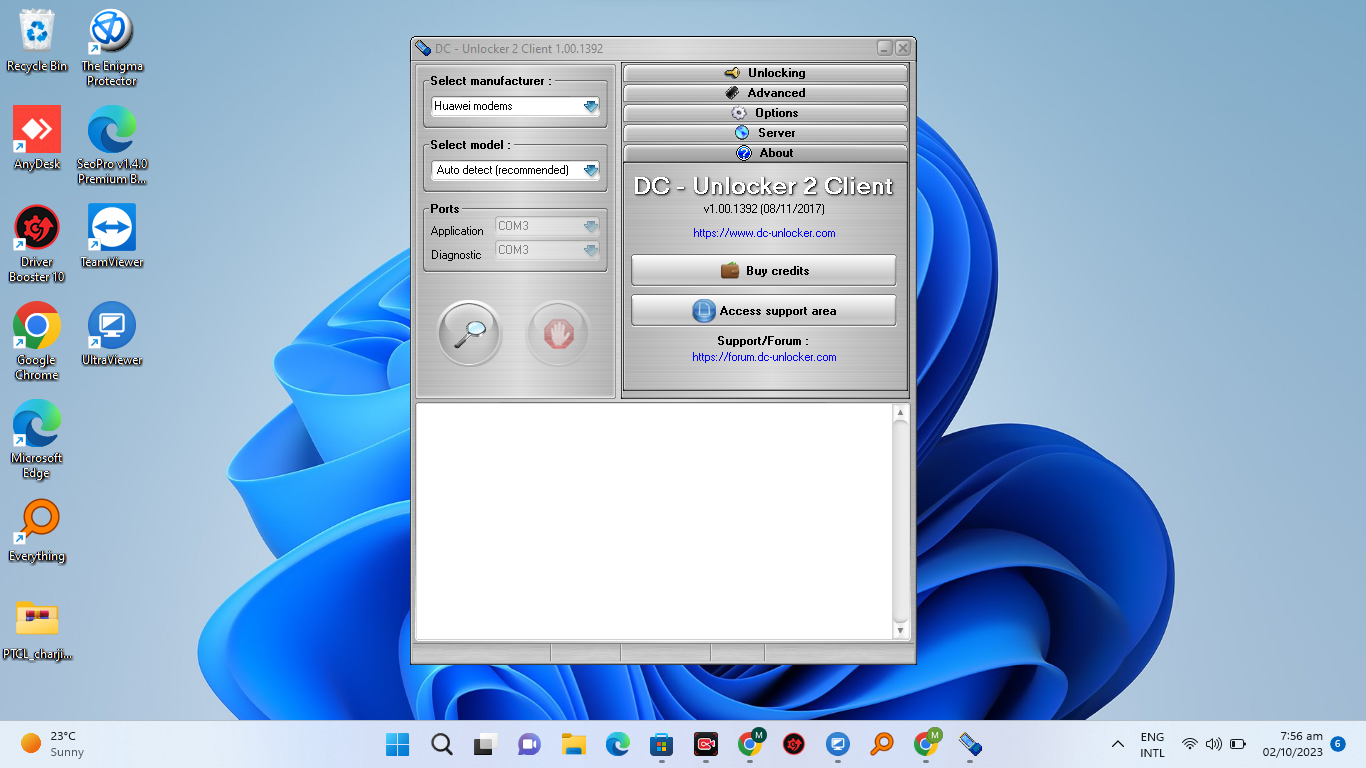
4Select Manufacturer: In the software interface, select the device manufacturer from the dropdown options (for example, choose ‘Huawei modems’ or ‘Huawei phones’).
-
5Auto-Detect Option: Set the model selection dropdown to ‘_Auto detect (recommended)_’ to let the program scan the port configurations automatically.
-
6Scan for Device: Click the search icon (the magnifying glass button). The application will query active COM ports on your PC.
-
7Review Diagnostic Log: Wait for the information terminal to show your device details, including active firmware, IMEI, serial number, and SIM lock state.
-
8Send AT Commands: Scroll to the bottom command console line to enter raw AT commands (such as mode switching commands) as needed for your specific flashing requirements.
📋 Troubleshooting Detection Issues
If the DC-Unlocker client fails to find your device, check the following points to resolve the problem:
-
Modem Not Found: If the client log reports ‘modem not found’, remove the SIM card and microSD card from the router slot, restart the device, and scan again. -
Missing PC UI Ports: Open Windows Device Manager. Under Ports, check if ‘Huawei Mobile Connect – PC UI Interface’ is showing. If you see a warning symbol, reinstall the drivers. -
Permission Errors: Ensure you run the application with admin rights, as Windows Security might block low-level serial port access.
DC-Unlocker is free for standard diagnostic checks, COM port scanning, and device information reading. If you have questions about specific steps or require remote diagnostics support, contact us via WhatsApp support.
Click the button below to initiate the secure download connection.