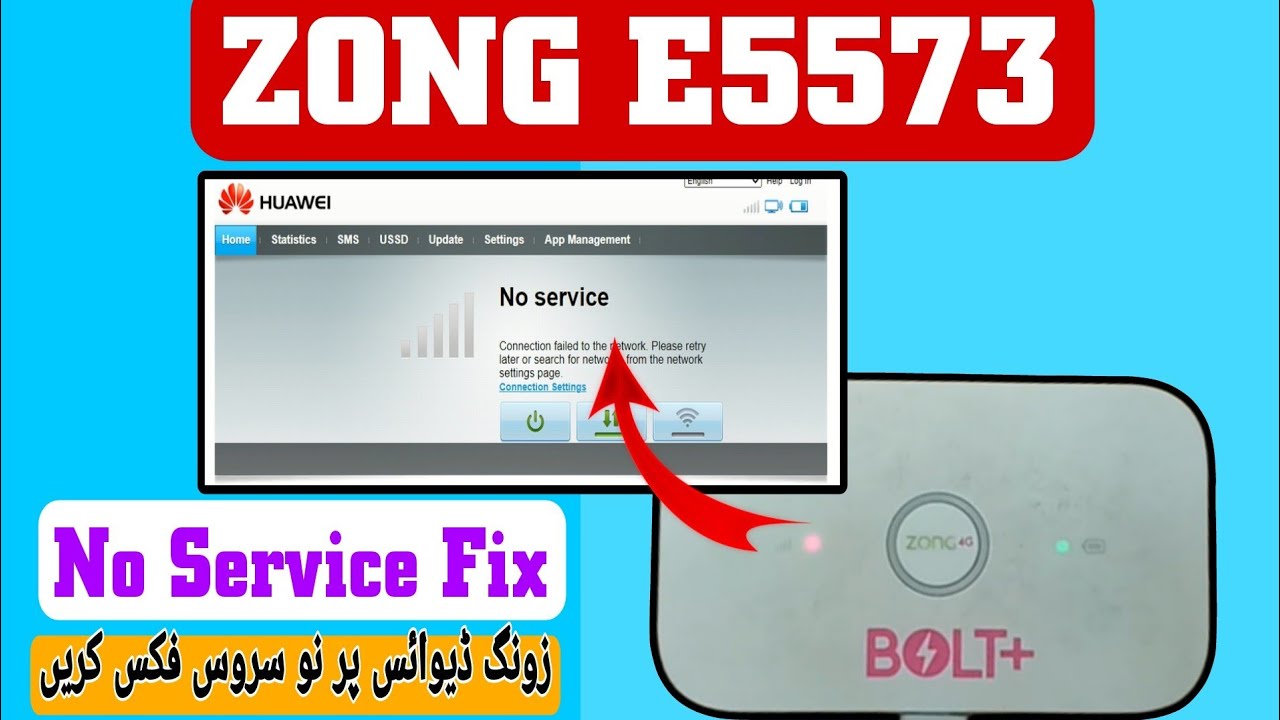
Zong e5573cs-322 No service fix and unlock
Software Versions: 21.333.64.02.1456, 21.321.01.00.306 & 21.323.01.00.306
Hello friends! In this comprehensive post, we will explain the detailed method to unlock the Zong E5573cs-322 pocket Wi-Fi router and successfully resolve the common “No Service” network signals problem. The Zong E5573cs-322 is a widely popular Huawei pocket hotspot distributed in Pakistan. However, users often face situations where the device becomes restricted to a single network operator or fails to detect network signals entirely when alternative SIM cards are inserted. This “No Service” status can also occur after an incorrect configuration reset or software modification. To restore normal operation and unlock the device for all networks, you need to apply a specialized signal repair flashing file package. This article provides step-by-step flashing instructions for supported software versions 21.333.64.02.1456, 21.321.01.00.306, and 21.323.01.00.306. Below, you will find the complete device specifications, prep requirements, and flashing steps to do it yourself.
📺 Unlocking Method Tutorial Video
📋 Key Specifications
-
Hardware Manufacturer: Huawei Technologies Co., Ltd. -
Model Name: Zong E5573cs-322 portable cloud router. -
Cellular Network Type: Supports high-speed 4G LTE-FDD and 3G UMTS. -
WI-FI Sharing: Share high-speed mobile internet with up to 10 clients concurrently. -
Signal Support: Factory unlocked to support Jazz, Zong, Telenor, Ufone, and SCOM network SIM cards.
📋 Before You Begin
Before initiating the firmware upgrade and signal repair procedure, prepare the following items:
-
A laptop or computer running Microsoft Windows with full administrative privileges. -
A high-quality micro USB data cable to connect the pocket router to your computer. -
The official Huawei USB drivers and COM port interface drivers installed on your PC. -
DC Unlocker client software to communicate with the modem settings. -
The unlock and signal repair file package (available for download in the section below).
📋 Step-by-Step Instructions
Follow these instructions step-by-step to flash your device and repair network signal functions:
-
1Connect the Device: Connect your Huawei E5573cs-322 pocket router to your PC or laptop using the micro USB cable and power it on.
-
2Launch DC Unlocker: Open the DC Unlocker client application as an administrator on your computer.
-
3Detect the Router: Ensure the USB drivers are loaded, choose ‘Huawei modems’ from the list, and click the search magnifying glass icon to detect the router.
-
4Verify Software Details: Once detected, verify the software version in the logs to ensure compatibility (e.g., 21.333.64.02.1456).
-
5Generate Security Commands: Open the command line at the bottom of the DC Unlocker utility to enter raw commands.
-
6Execute First Command: Copy and enter the security initialization code provided in the unlock package and press Enter.
-
7Execute Repair Command: Type the command
AT^INFORBUinto the terminal and press the Enter key to write default configuration variables. -
8Reboot the Device: Type the command
AT^RESETand press Enter to save settings and restart the router. -
9Wait for Reboot: The pocket router will reboot automatically, displaying flashing LEDs during initialization.
-
10Verify Restoration: The unlock and network signal repair sequence is now complete. The device status will show unlocked.
-
11Insert SIM: Power off the router, insert any mobile operator SIM card, boot the device, and connect your devices to high-speed internet.
📋 Troubleshooting Tips
If you encounter problems during the process, follow these guidelines:
-
Device Detection Failures: Check Windows Device Manager. If the ports show a warning symbol, reinstall the drivers and restart your computer. -
USB Connection Stability: Always connect the router directly to the USB port on your PC motherboard (back side of desktop PCs) for maximum power stability. -
Antivirus Warnings: Antivirus programs may flag unlocking scripts as false positives. Disable security software before extracting file archives to avoid files being deleted.
This signal fix and unlock package is compressed in an archive for protection. You can download the package from the links below and use the extraction password saifi123. For custom troubleshooting, online unlocking services, or questions about serial drivers, contact our support team via WhatsApp at 0320-7311862.
Click the button below to initiate the secure download connection.