Zong E8372h-153 Unlock for All SIMs
Software Versions: 21.318.01.02.306 & 21.321.01.02.306
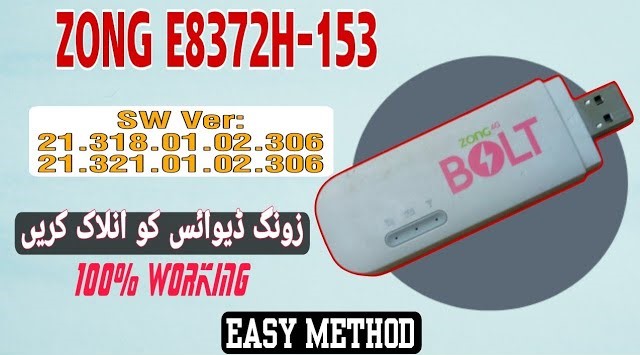
Hello friends! Today we will share the official and 100% working method to unlock the Huawei Zong E8372h-153 4G LTE Wingle for all SIM networks. The Huawei E8372h-153 is an extremely popular USB-powered portable Wi-Fi dongle widely used in Pakistan. By default, this device is locked to the Zong network, which prevents you from using SIM cards from other GSM operators. Newer security software versions like 21.318.01.02.306 and 21.321.01.02.306 have patched simple flashing methods, making traditional direct unlocking procedures fail. Fortunately, by using our specialized firmware flashing method, you can completely unlock all versions of this wingle, allowing you to use any network SIM card including Jazz, Telenor, Ufone, SCOM, and Warid.
Unlocking this device requires putting it into firmware download mode. This is achieved by connecting the wingle to your PC, verifying that the diagnostic COM ports are open using driver software, and then sending specific AT commands through a terminal client like DC-Unlocker. Once the wingle is put into the download state, the custom firmware utility can write the unlocked partition tables. The process is fully software-based and very safe if you follow all the steps carefully. You do not need to disassemble the wingle or perform hardware changes unless the software command fails. This method preserves the original IMEI of your device while restoring network bands.
Before starting the process, make sure you have a personal computer running Windows and a good quality USB connection. You must install the Huawei Mobile Partner driver pack and Qualcomm USB drivers on your computer so that the terminal tool can detect the device. If the drivers are not installed correctly, the wingle will not register under COM ports in Device Manager, and the AT commands will return an error. Follow our detailed requirements and step-by-step instructions below to ensure a successful flash without damaging your device. If you encounter any connection issues, our WhatsApp support team is always available to help.
📋 Technical Specifications
- Device Model: Huawei Zong E8372h-153 4G LTE Wingle.
- Supported Software Versions: 21.318.01.02.306 and 21.321.01.02.306 security builds.
- Unlocking Mode: USB COM Port / AT Commands terminal interface mode.
- Compatible Networks: Jazz, Zong, Telenor, Ufone, Warid, SCOM (All SIMs working).
- Peak Bandwidth Speed: Up to 150 Mbps download speed and 50 Mbps upload speed.
📋 Unlocking Requirements
- A personal computer or laptop running Windows 7, 8, 10, or 11.
- High-quality Micro USB data cable to prevent transfer dropouts.
- Huawei Mobile Partner driver pack and Qualcomm USB serial drivers.
- DC-Unlocker client desktop software.
- The E8372h-153 unlocked firmware toolkit (download link below).
📋 Step-by-Step Instructions
-
1Download the wingle unlock files from the link below.
-
2Extract the downloaded folder on your desktop using the password “saifi123”.
-
3Plug your Zong E8372h wingle directly into your computer’s USB port.
-
4Launch the DC-Unlocker client program as Administrator on your computer.
-
5Set the manufacturer to “Huawei modems”, select auto-detect model, and click the search button.
-
6Check the log window to verify that the wingle details and software version are detected correctly.
-
7Type the command
AT^GODLOADin the DC-Unlocker terminal box and press Enter to put the wingle into download mode. -
8Open the extracted folder, run the flashing application exe file, and enter the password when prompted.
-
9Keep the connection stable and wait for the flashing progress to reach 100%. The device will automatically restart.
-
10Send the reset command or press the physical reset button on the wingle, insert any SIM card, and enjoy your unlocked device.
📋 Troubleshooting Tips
- Command Fails: If the AT^GODLOAD command returns an error, make sure the wingle is not already in download mode or check if the ports are open.
- Device Offline: If the wingle shows no lights or is not detected, reinstall the Huawei drivers and try a different USB port.
The unlocking tool archive is password protected. You can download the file from the link below and use the password saifi123 to extract it. If you face any issues while installing drivers or detecting ports, feel free to contact us on WhatsApp at 0320-7311862 for assistance.
🎥 Video Method Tutorial
Direct Link: Watch on YouTube →
Click the button below to initiate the secure download connection.