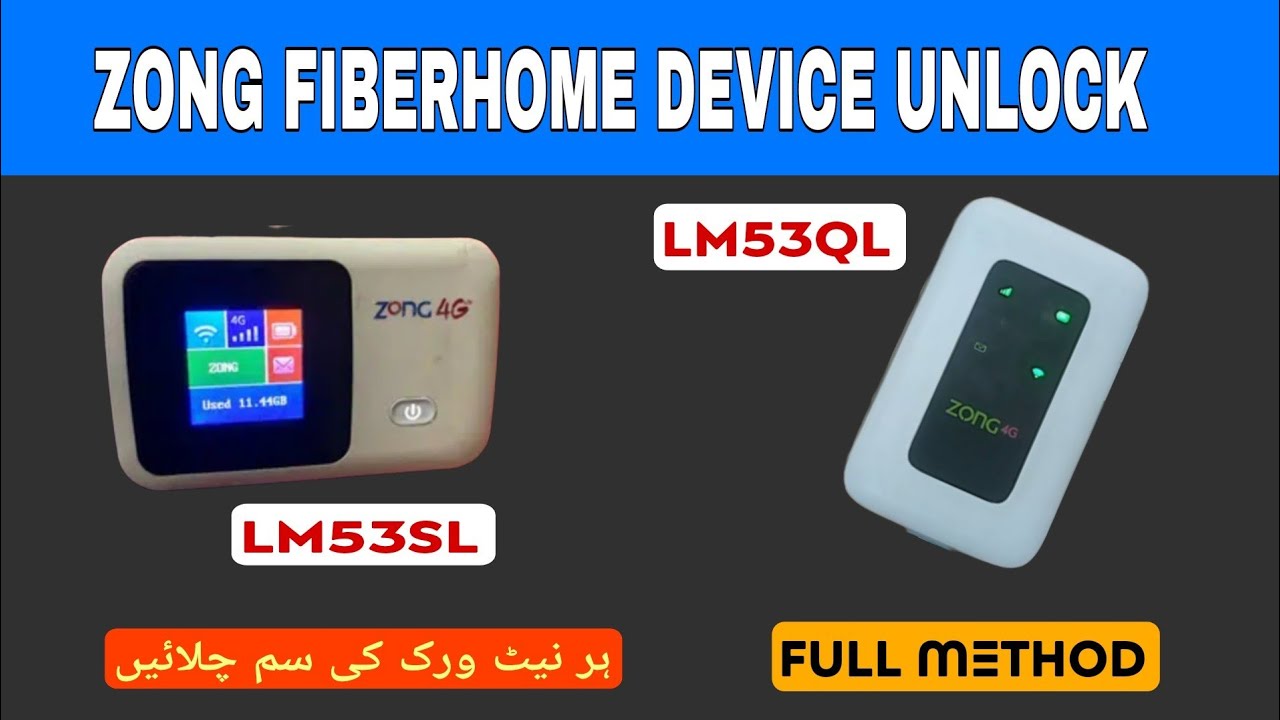
Zong Fiberhome All Version Unlock
Official LM53QL or LM53SL unlock solution for all SIM networks.
Hello friends! Today we will share the official and 100% working method to unlock all versions of the Zong Fiberhome portable Wi-Fi routers. The Fiberhome series (such as model LM53QL and LM53SL) are high-performance 4G LTE pocket Wi-Fi hotspots that are very popular in Pakistan due to their excellent coverage, high data speed, and solid build quality. However, the main problem with these devices is that they are locked to the Zong network by default. This means you cannot use any other mobile network provider SIM card (like Jazz, Telenor, Ufone, or SCOM) in it. If you travel to an area with weak Zong coverage, your device becomes useless. Unlocking your router allows you to insert any network SIM card and use the cheapest data packages.
To unlock a Zong Fiberhome pocket router, we use a serial COM port flashing interface. This process requires a Windows computer or laptop and a reliable micro USB data cable. It is essential to ensure that you have installed the correct MediaTek (MTK) USB drivers and device COM port packages. Without these drivers, the flashing software cannot detect the router’s communication port, and the process will fail. Keep the data cable stable during the flash, as any disconnection can cause a boot failure or damage the device. Disable your antivirus or Windows Defender temporarily because security systems can block custom tools. Follow the requirements checklist and detailed step-by-step instructions below to unlock your device safely.
📋 Technical Specifications
- Supported Models: Zong Fiberhome LM53QL and LM53SL pocket cloud routers.
- Firmware Compatibility: Compatible with all current firmware versions and standard bootloader levels.
- Unlocking Mode: Direct USB COM Port interface mode firmware flashing.
- Carrier Compatibility: Jazz, Zong, Telenor, Ufone, SCOM, and all other international GSM networks.
- LTE Bands Restored: Automatically restores LTE 4G band 1, 3, 5, 8 and standard 3G bands for better signals.
📋 Unlocking Requirements
- Operating System: A personal computer or laptop running Windows 7, 8, 10, or 11 (both 32-bit and 64-bit).
- Connection Cable: High-quality micro USB data cable to prevent any connection drops.
- System Drivers: MediaTek (MTK) USB drivers and serial COM port connectivity packages.
- Unlock Package: Zong Fiberhome unlock firmware toolkit (download link below).
- Extraction Utility: WinRAR or 7-Zip files to extract the compressed folder.
📋 Step-by-Step Instructions
-
1Download the unlock files from the link below.
-
2Extract the downloaded folder on your desktop using the password “saifimobiles”.
-
3Install the MTK and COM port serial drivers, then restart your computer.
-
4Connect your powered-on Fiberhome router to your PC’s USB port.
-
5Open Device Manager on your PC and check the Ports (COM & LPT) section to verify connection.
-
6Open the extracted folder, right-click the flashing exe file, and select Run as Administrator.
-
7Follow the onscreen steps to initiate the flashing procedure.
-
8Wait patiently for the progress bar to reach 100%. Do not disconnect the USB cable.
-
9The router will restart automatically after flashing is complete. Disconnect the USB cable.
-
10Insert any other operator SIM card (Jazz, Telenor, Ufone, SCOM) into the router, power it on, and enjoy your unlocked device.
📋 Troubleshooting Tips
- Device Not Found: If the flashing tool does not detect the router, try changing the USB port or use a back USB 2.0 port on the PC.
- Driver signature issues: If Windows blocks the drivers, go to system settings and disable Driver Signature Enforcement, then reinstall.
- No Network Signals: If the device shows no service after flashing, log in to the admin panel (192.168.8.1) and configure the APN settings manually or perform a factory reset.
The unlocking tool archive is password protected. You can download the file from the link below and use the password saifimobiles to extract it. If you face any issues while installing drivers or detecting ports, feel free to contact us on WhatsApp at 0320-7311862 for assistance.
🎥 Video Method Tutorial
Direct Link: Watch on YouTube →
Click the button below to initiate the secure download connection.